




1
Create a campaign
Add creator accounts or TikTok post URLs, set the campaign period, and apply optional keywords or hashtags.
2
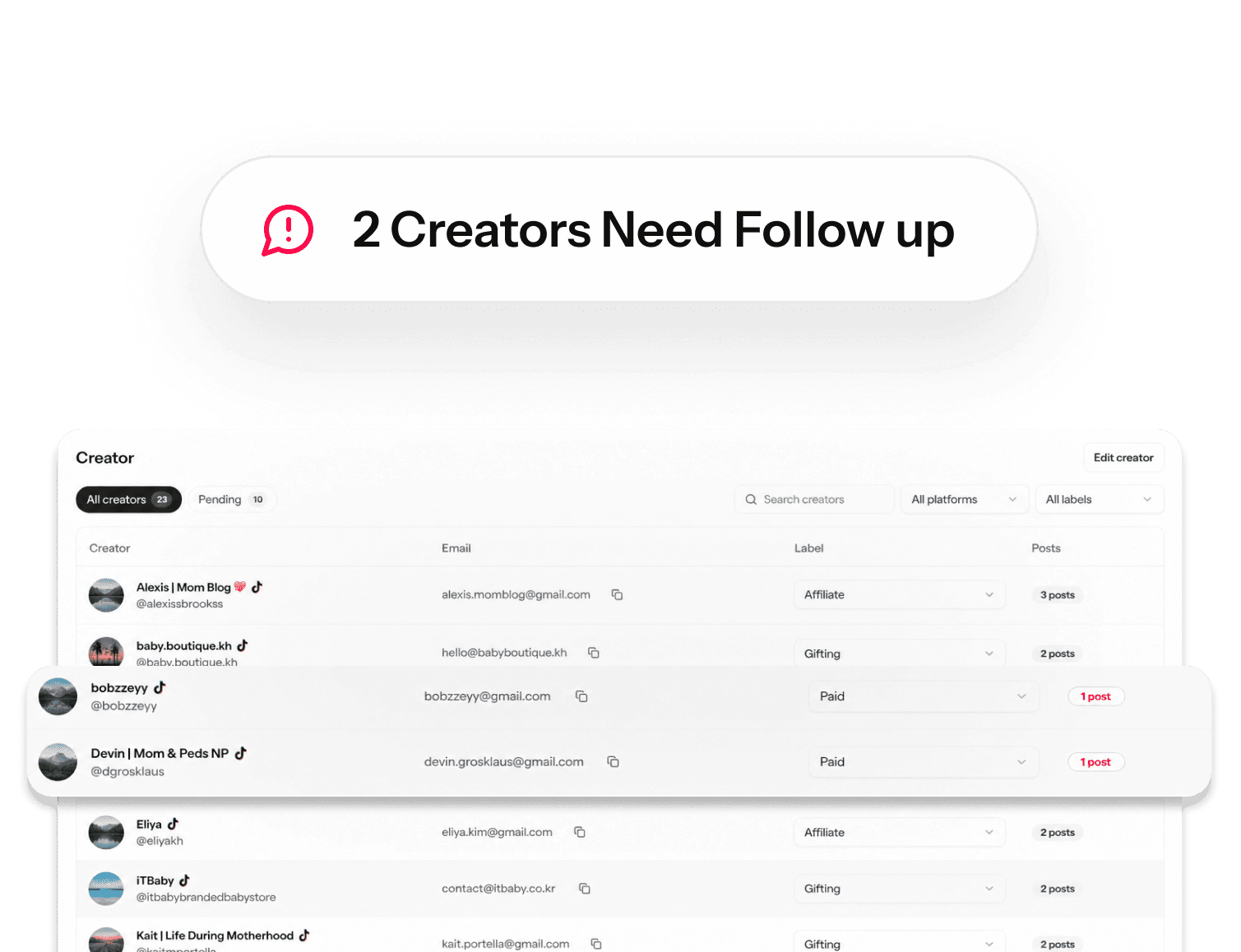
Monitor creator status
See which creators have posted, which creators have zero collected posts, and who needs a follow-up.
3
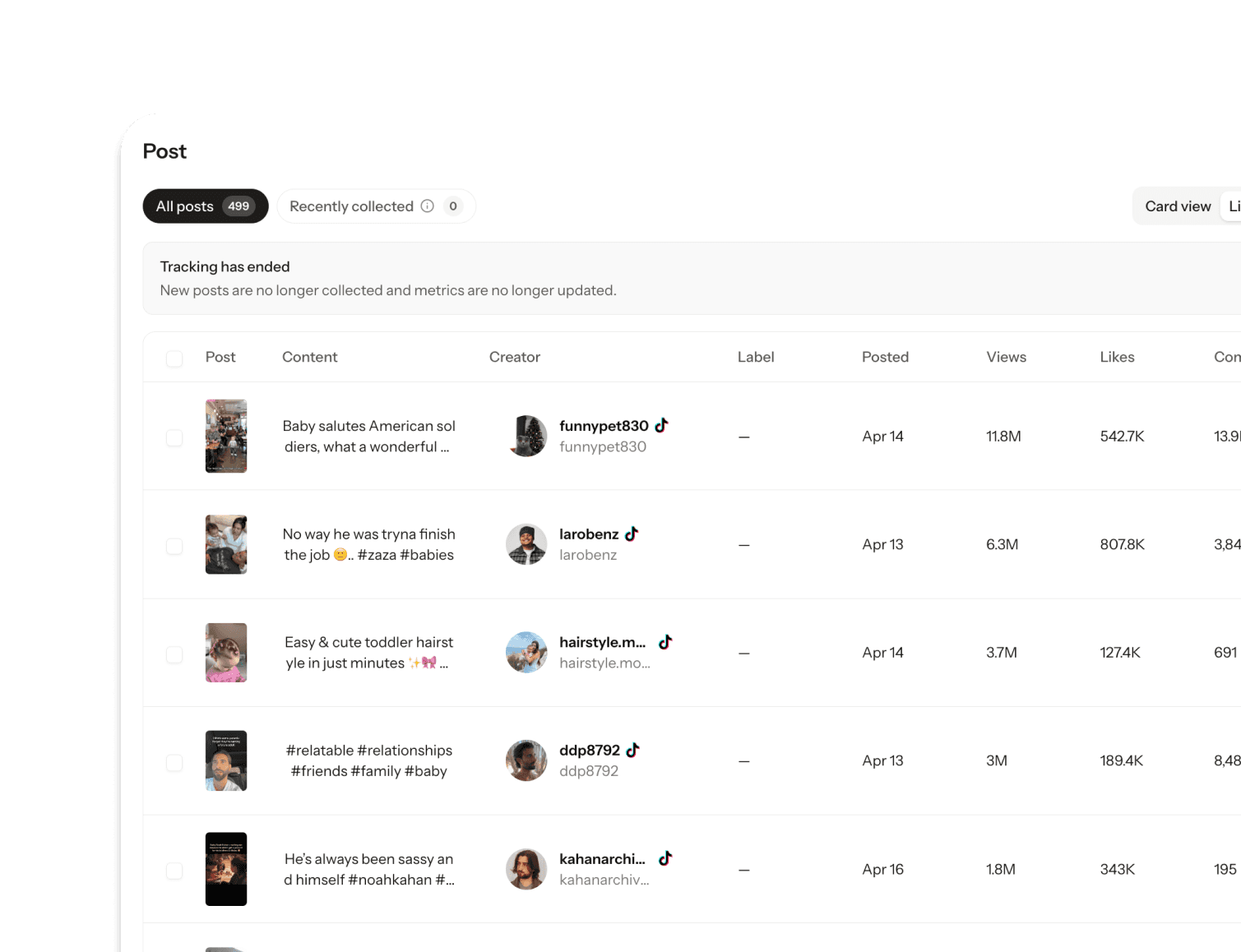
Review collected posts
Check newly collected videos, captions, post links, and creator details in one campaign feed.
4
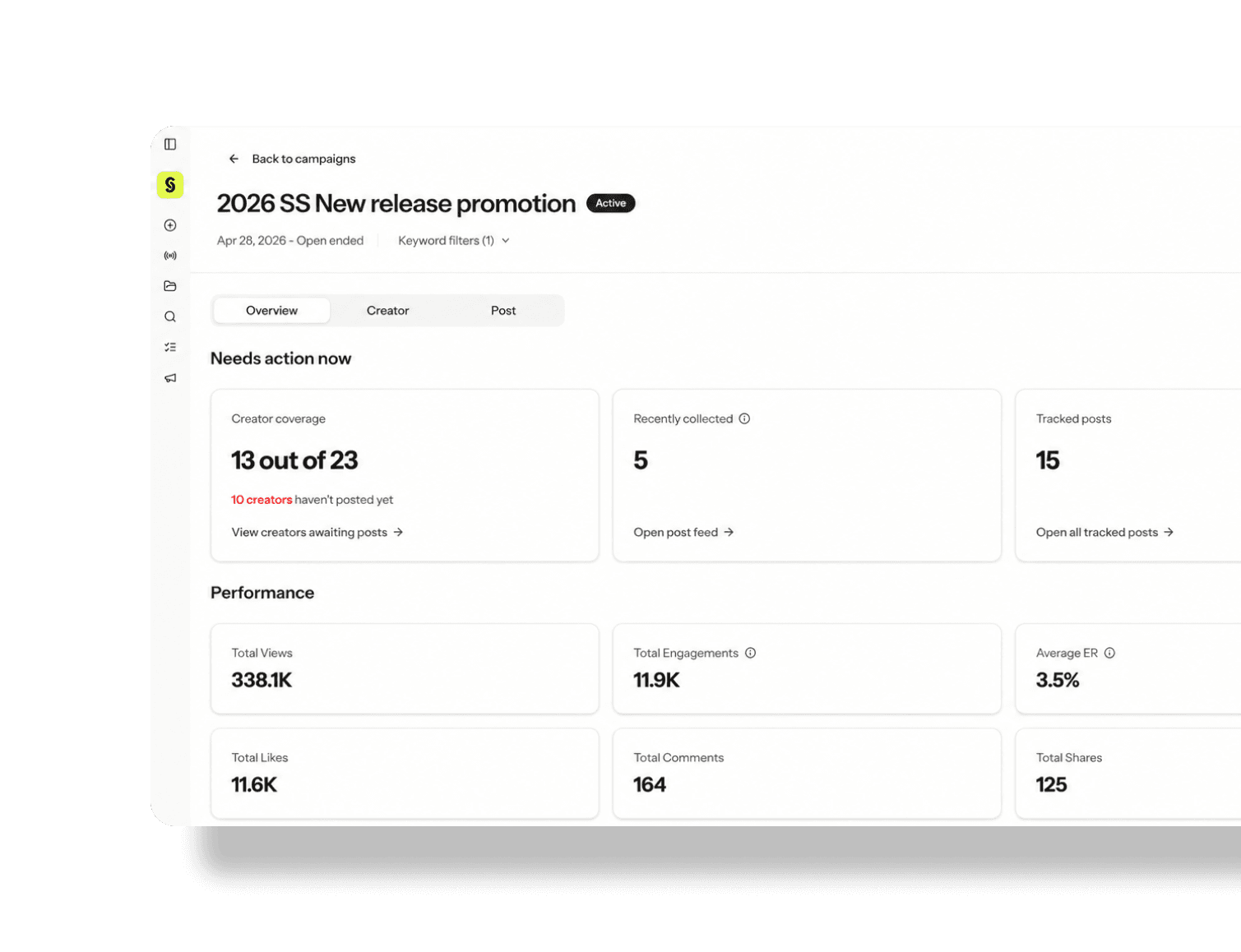
Track campaign performance
Monitor total views, engagements, average ER, and post-level metrics as data updates daily.
5
Export results
Download time-series or post-level CSV reports for internal analysis, client reporting, or campaign recap decks.
For brand teams
Manage paid, gifting, and affiliate creators in one campaign. See who posted, review new content, and export results for internal reporting.
For agencies
Track multiple client campaigns separately, organize creator performance data, and prepare campaign reports faster.
Creator Discovery
Find creators by what they actually make.
Campaign Tracking
Monitor posts, review deliverables, and export results.