
Keyword Tracker
Keyword Tracker lets you register and monitor the keywords you care about, from competitor names to specific features, and watch them trend.
Joseph Lee (CEO)
In this latest update, we are thrilled to introduce the Keyword Tracker feature, allowing you to register and monitor keywords of your choice. You can now track keywords related to competitors, specific features, and more. Let's explore the details together.
New Feature Release: Keyword Tracker
Users can register and manage keyword trackers in bundles for easy tracking and organization.
How to Use
1. Registering a Keyword Tracker
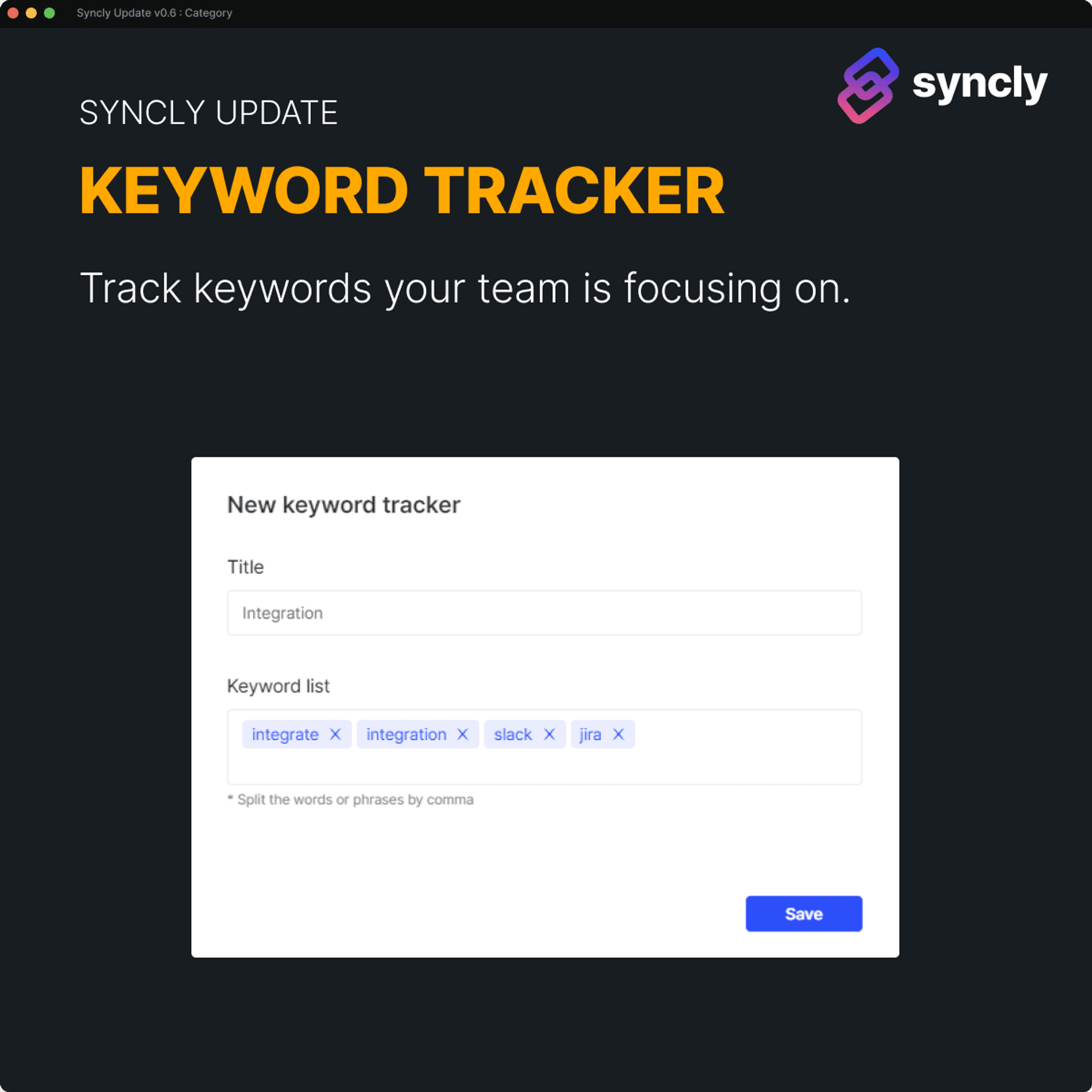
Access the settings page to register and manage your keyword trackers.

Click the "+ Tracker" button to create a new keyword tracker.
Enter the topic of interest in the Title field, and input the corresponding keywords in the Keyword list. By adding specific keywords to the list, you can track content that matches them perfectly.
2. Keyword Tracker Filtering
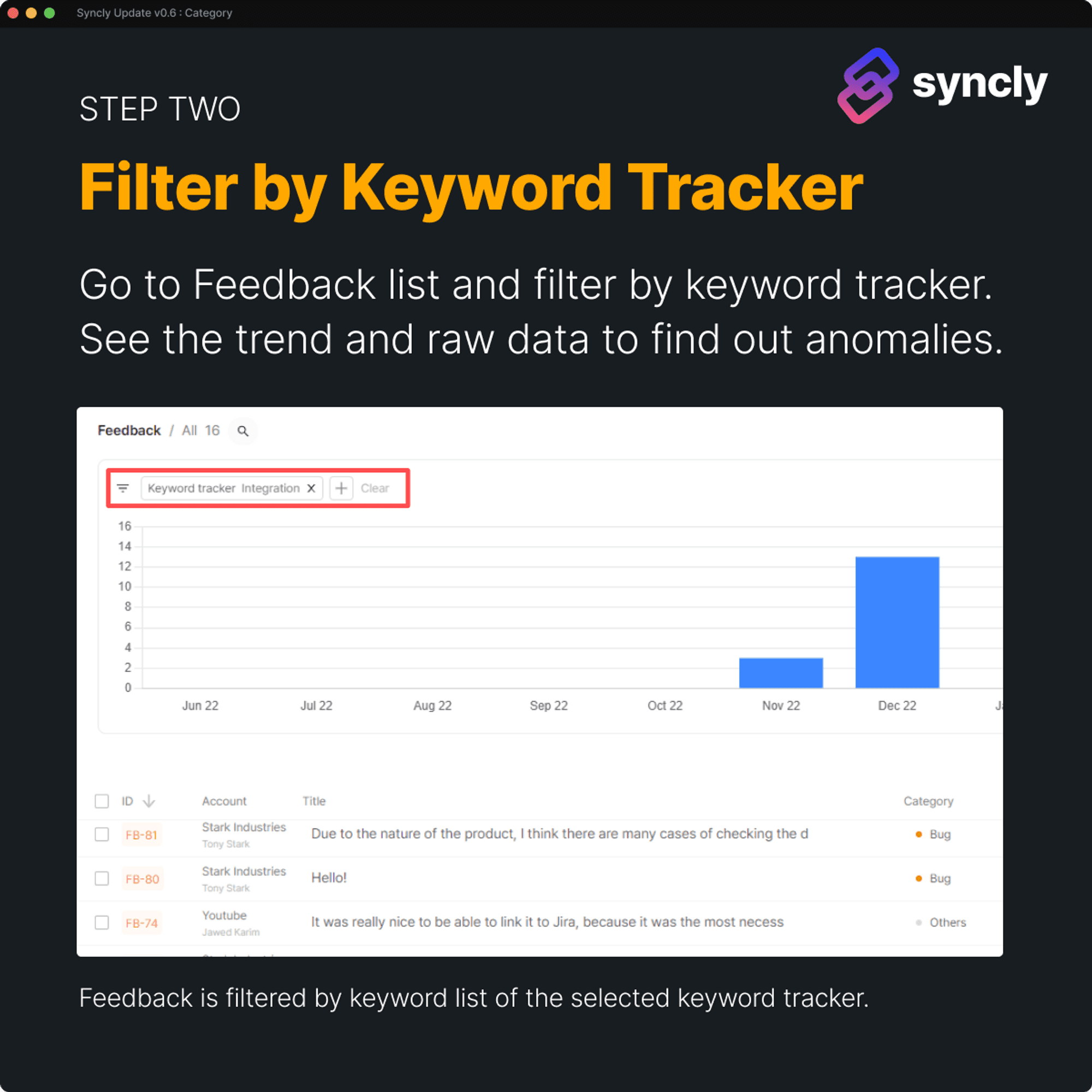
In the feedback list, navigate to Filter > Keyword Tracker to select the items you want to view and analyze.
Use Cases
1. Competitor Keywords
For example, let's consider Google Pixel smartphone as a case study. You can designate the following as competitor keywords:
Title: Major Competitors
Keyword list: Apple, iPhone, Samsung, Galaxy
2. Feature Keywords
Integration: Integration, Integrate, Slack, Jira, Gmail
Report : monthly, weekly quarterly, slack sharing, pdf
Scheduling: Calendar, Schedule, Scheduling
Account: Account, ID
Payment: Payment, Billing, Subscription, Billed twice
3. positive / negative keywords
positive : Kudos, like, satisfied, excellent, outstanding, love
negative : frustrating, disappointed, improve, problem, issue, lacking
4. Environment
Operating System :
Windows: Windows, Windows10, Windows11
macOS: macOS, BigSur, Monterey
Linux: Linux, Ubuntu, Fedora, CentOS
Web Browser :
Google Chrome: Chrome, GoogleChrome
Mozilla Firefox: Firefox, Mozilla
Apple Safari: Safari, AppleSafari
Microsoft Edge: Edge, MicrosoftEdge
Device :
Desktop : desktop, pc, computer, laptop
Tablet : tablet, tabletpc, ipad
smartphone : smartphone, phone, iphone, android, pixel
Additional Factors :
Network Connection : Internet, wifi, wi-fi, network, high speed
Hardware : Memory, CPU, graphic card, Nvidia


